Motorbike
Build the frame, steering, and drive system as a team.
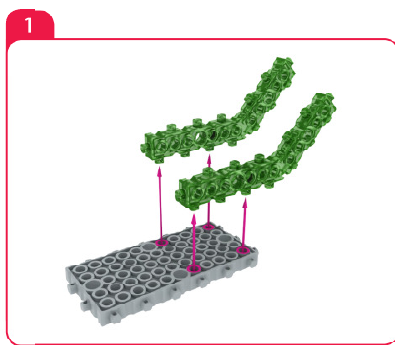 Click the picture to see it bigger.
Today's lesson
Your educator picks the build for each class. Open it to start building with your group.
Saved builds
Every build your group has saved. Open one to keep building.
Loading saved builds…
MRT3 parts library
Browse every part by category, part name, product code, and visual reference.
Official MRT3 build library
43 guided builds from the four MRT3 course books: Book 1 Foundation, Book 2 Beginner, Book 3 Intermediate and Book 4 Advanced.
Groups and students
Set up terms, choose today's lesson, organize students into groups, and share your class invite code. Run the class itself from Live class.
Class schedule
Create a three-month term, register students into it, then organize them into groups. Choose lessons later in Build Lab.
Create your first class term to begin.
Groups in selected session
Class controls
All registered students
Students join with an account and your class invite code: —
No student accounts are registered yet.